00:00:00:00Beat2Cut ProMonthly or yearly
The desktop app, everything unlocked. Browser tools, no limits.
$20 a month, or $120 a year (half price). One subscription covers the Beat2Cut Desktop app on up to 3 computers and every tool on the website, with no credits to count.
- Local Processing · Zero Uploads
- Instant Setup · Active in Seconds
- Transparent · Cancel Anytime
Detect beats without signing in. Audio beat detection and beat-only cut lists remain permanently free and unlimited for everyone. Open the Studio
Pro
$10/ month$20
Billed $120 once a year · cancel anytime
One subscription for the desktop app and every tool on the website.
More is on the way. We keep adding features to Pro, and they are for Pro members only. Subscribing now is early support that helps us build them.
00:00:12:00Free and Pro
What Pro adds, line by line
Beat2Cut Desktop, on your Mac or PC
Beat2Cut Studio, in your browser
Credits
* AI voiceover and script translation are metered by character count across all plans.
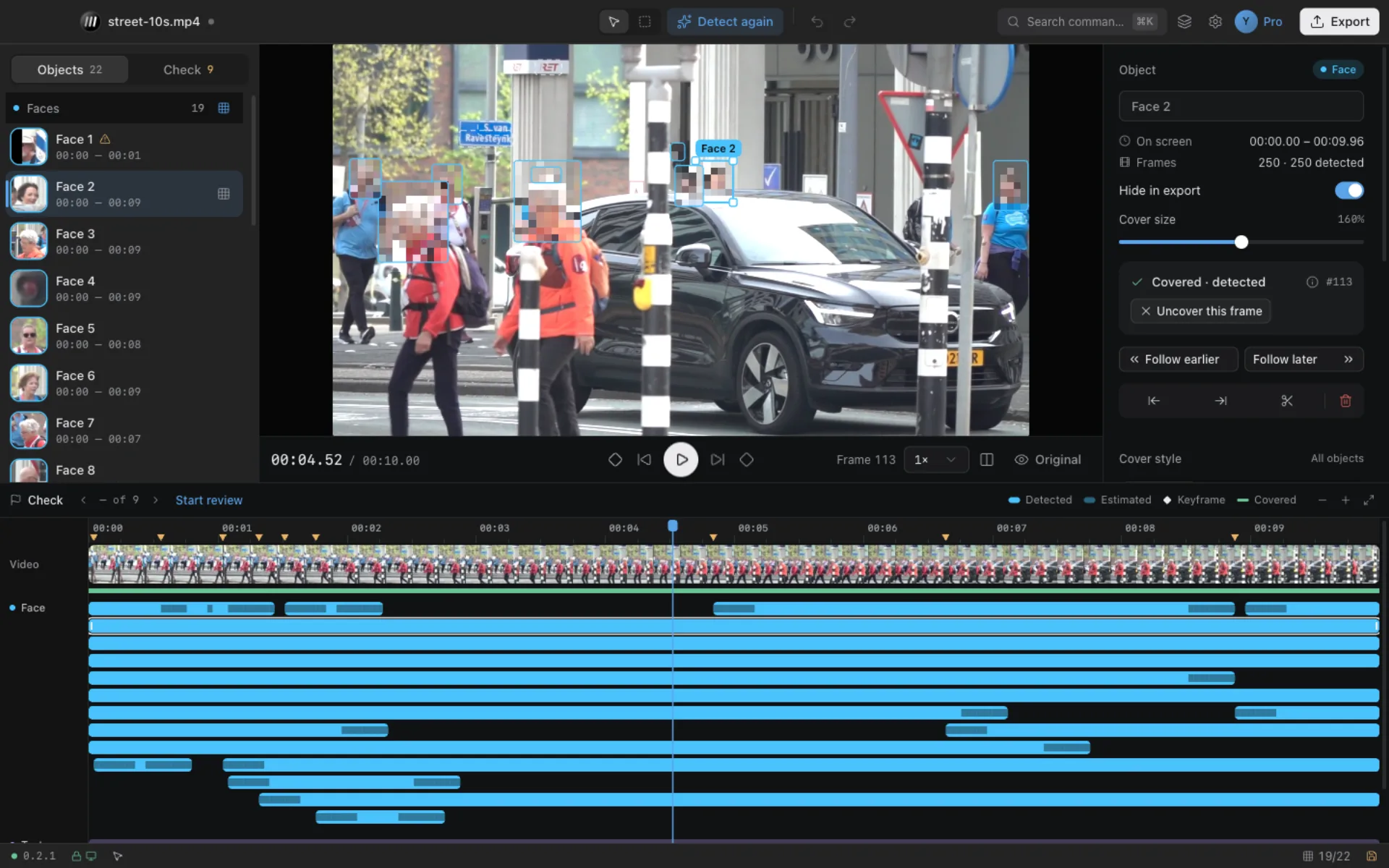
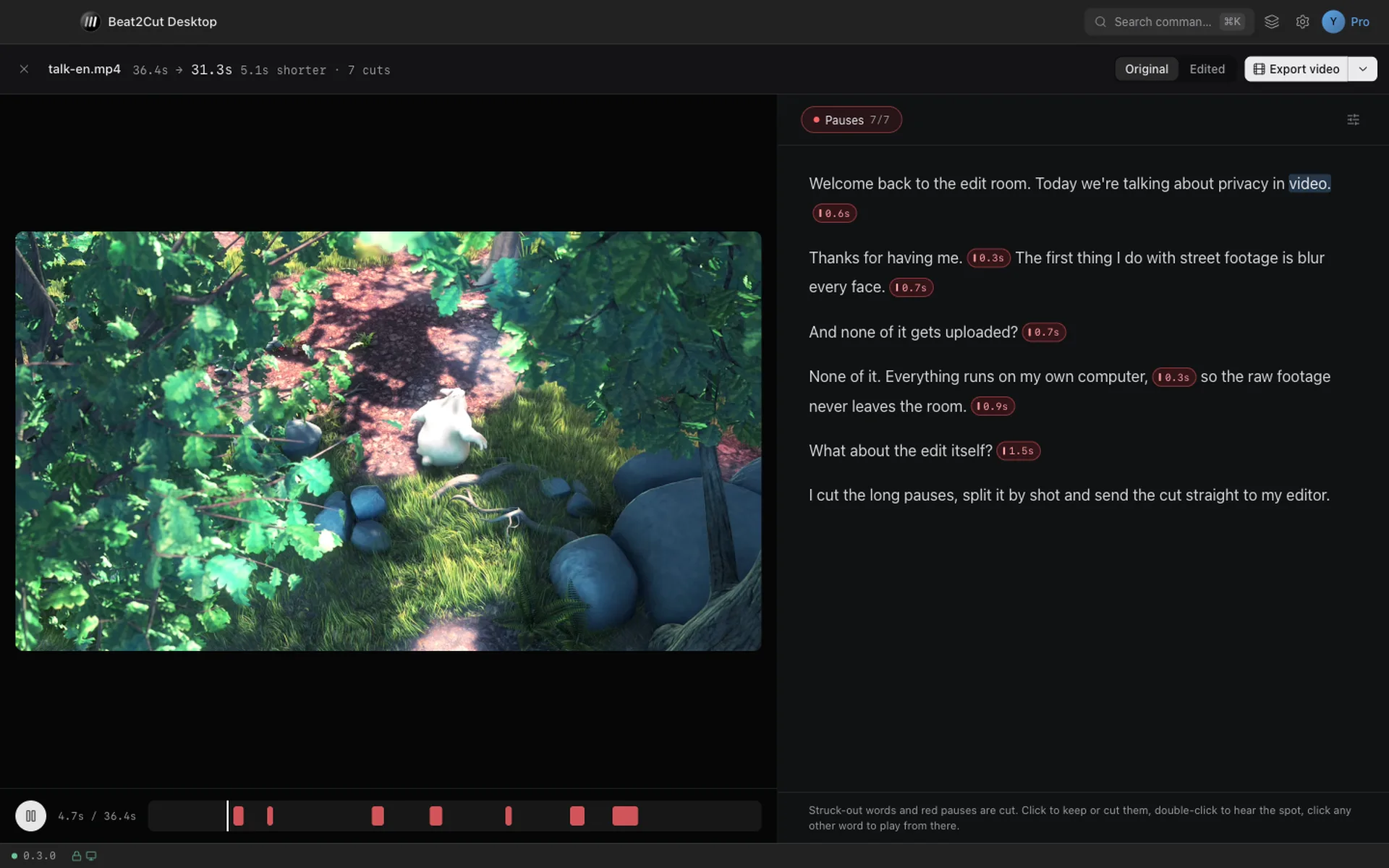
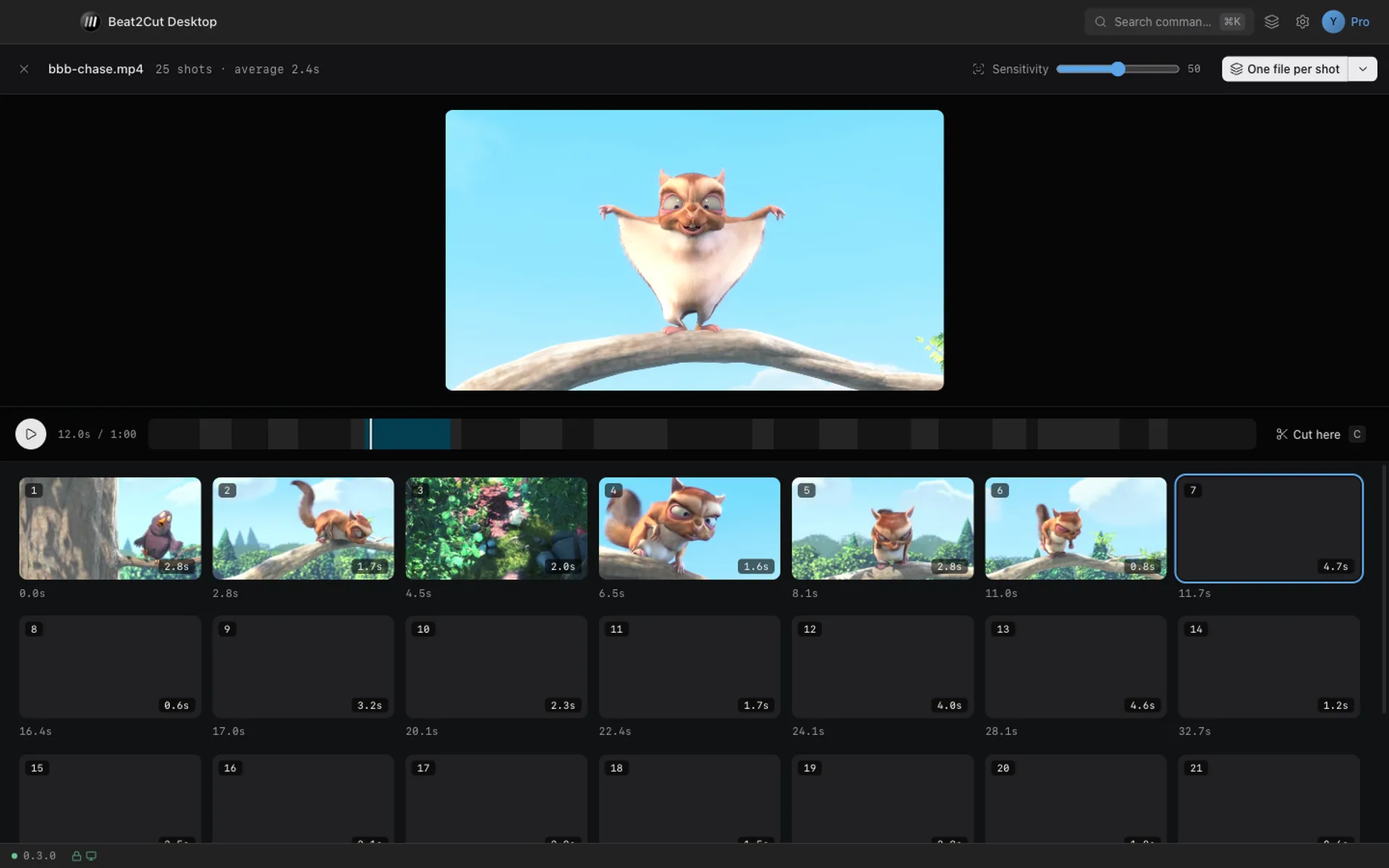
Hide faces and plates, clean up talk, cut by shot, all on your own computer
The desktop app is the main thing Pro unlocks. It runs on your Mac or Windows PC and your video is never uploaded. With Pro everything in it is open, on up to 3 computers, with no credits.
Who Pro is for
You post video with people or cars in it
Hide faces and license plates on your own computer before you publish, so the video never leaves it.
You edit talking videos
Cut the pauses and filler words out of talk, transcribed on your computer, and look at every cut before you apply it.
You cut to music
Get beat marks and shot lists for Premiere Pro, DaVinci Resolve or Final Cut Pro, as many times as you need.
Frequently Asked Questions
Everything you need to know about Beat2Cut Pro and billing
Quite a lot. Beat detection and beat-only cut lists are free and unlimited, and detecting beats does not even need an account. A free account gets 150 credits once, enough for about 7 shot or silence detections at 20 credits each. The desktop app is free to download with any account and opens a built-in demo; detecting and exporting your own videos needs Pro, and monthly Pro starts with 7 days free.
Yes, on monthly Pro. Choose Monthly and start checkout: you add a payment method, pay nothing for 7 days, then are charged $20 a month. Cancel any time before the 7 days end under Account → Billing and you are not charged. Yearly Pro has no trial. During the trial you have full Pro: every browser tool with no credits spent, and the Beat2Cut Desktop app on up to 3 computers.
Yes. Scene detection, silence removal, filler-word transcription, media diagnostics, NLE cut lists, and finished MP4 rendering are all included with no credit deductions on Pro.
10,000 credits translate to tens of thousands of spoken characters. The pool automatically resets to 10,000 every 5 hours, providing ample headroom for full-day rough cuts and multi-language translations.
No. Beat detection, scene splits, silence removal, and MP4 exports run inside your browser. Two steps you start yourself go online: AI voiceover sends script text for voice synthesis, and filler-word transcription sends a compressed audio-only copy. The video itself never leaves your device.
Yes. Beat2Cut Desktop is included with Pro. Any account with a verified email can download it and open its built-in demo for free; detecting and exporting your own videos needs Pro, and monthly Pro starts with 7 days free. It finds and covers faces, license plates and on-screen personal details in video on your own computer, with no upload. Pro works on up to 3 computers per account and uses no credits. Download it from the Beat2Cut Desktop page while signed in; it runs on Mac with Apple silicon and on Windows 10 and 11. The same app also cleans up talk (it transcribes on your computer and cuts pauses and filler words) and splits videos into shots, with exports for Final Cut Pro, Premiere Pro and DaVinci Resolve.
Subscriptions are handled securely by Merchant of Record Creem with compliant receipts and VAT invoices. You can manage or cancel your subscription anytime under Account → Billing without hidden friction.
Secure Setup & Transparent Billing
Subscriptions are processed securely by Merchant of Record Creem, handling global tax compliance and itemized receipts. Pro activates within seconds. Manage your plan, download invoices, or cancel anytime under Account → Billing.
If your status does not refresh after a few minutes, email support@beat2cut.com with your order details and we will verify your account right away.